Contents Menu Expand Light mode Dark mode Auto light/dark, in light mode Auto light/dark, in dark mode Skip to content
Orchestra documentation
Light Logo Dark Logo
  • What is Orchestra
  • Quick Start Guide
  • OrchestraOS
    • Welcome to OrchestraOS Documentation!
      • Introduction to meta-orchestraos
      • OrchestraOS Quickstart
      • Supported Hardware
      • OrchestraOS Architecture
      • OrchestraOS Security Architecture
      • Signing Keys Generation
      • OrchestraOS Release Cycle
      • Software Bill of Materials (SBOM)
      • CTHINGS.CO Website
      • Support
      • NXP i.MX Software
    • OrchestraOS Specification
  • Orchestra Manager
    • User Account
      • Creating Account
      • Enabling Two-Factor Authentication (2FA)
      • Profile Settings
    • Set up your tenant
      • Create a tenant
      • Tenant settings
        • Change tenant’s name
        • Change brand color
        • Change header logo
        • See and copy Workspace ID
        • Change square logo
        • Delete tenant
      • Users
      • Machine clients
      • User actions
    • Orchestra Manager
      • Device Management and Performance Monitoring
      • How to add a Device
        • Console access
        • Establishing Internet Access
      • Portability and Compatibility
      • Containerized Application Lifecycle Management
        • CALM Concepts
        • Create a Fleet
        • Create a Composition
        • Make a Release
        • Hello World Tutorial
        • Wirepas Services Tutorial (GUI)
        • Configuring Sink via CLI on Gateway
      • Alerts
  • Command-Line Interface
    • Installation
    • Tenant Change
    • Orchestra Device Manager
    • Containerised Application Lifecycle Management
      • CALM CLI Plugin
      • Hello World Tutorial
      • Wirepas Services Tutorial (CLI)
    • Tips
    • Data Collection Plugin
  • Identity Platform
    • How to Get Orchestra
    • How to add an Application
    • User management
      • Adding new user
      • Joining the tenant
      • Role-Based Access Control
    • Orchestra Subscription Management Guide
      • How Subscriptions Work
      • Subscription Plans
      • How to update billing details
  • Data Collection
    • Data Collection Concepts
    • Asset Statistics Dashboard
    • Floor Plan Dashboard
      • Create Floor Plan
    • Router and SIM Card Dashboard
    • API
    • Getting Started with Data Collection
    • Custom Dashboard in Data Collection
    • Create a mock dashboard
    • Data Collection
      • Data Collection Concepts
      • Asset Statistics Dashboard
      • Floor Plan Dashboard
        • Create Floor Plan
      • Router and SIM Card Dashboard
      • API
      • Getting Started with Data Collection
      • Custom Dashboard in Data Collection
      • Create a mock dashboard
  • Wirepas
  • FAQ

Resources

  • Orchestra Overview Brochure
  • Quick Facts Sheet
  • CTHINGS.CO Website
  • Support
Back to top
View this page

Tenant settings

In this view you can see information about your tenant, and also:

  • Change tenant’s name

  • Change brand color

  • Change header logo

  • See and copy Workspace ID

  • Change square logo

  • Delete tenant

Note

After each change, a Changes made pop-up appears. Click Save to keep the changes or Cancel to discard them.
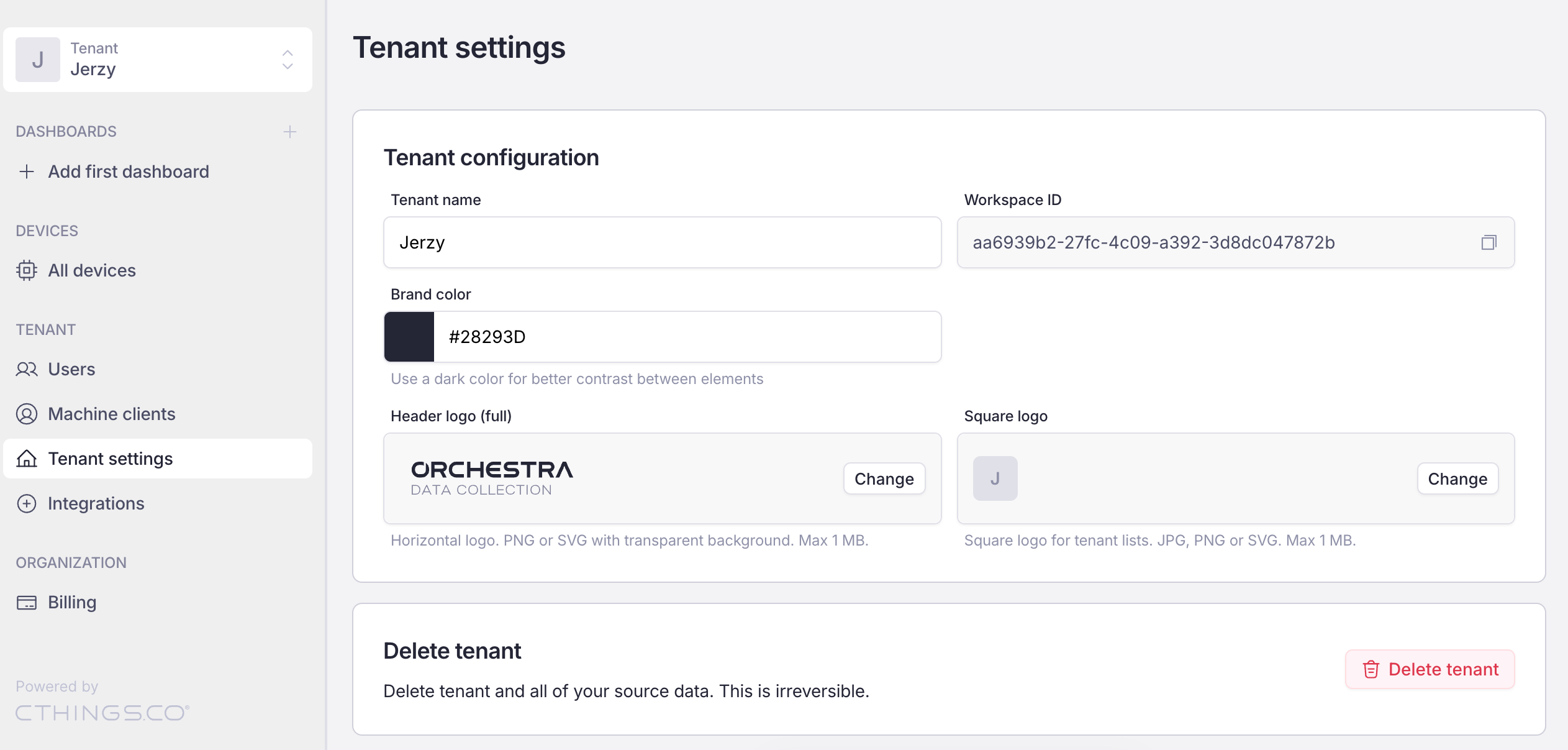
Tenant settings view

Tenant settings

Next
Change tenant’s name
Previous
Create a tenant
Copyright © 2025, CTHINGS.CO®
Made with Furo